
Your community experience is moving to Customer Central, our new portal, this summer, with a more intuitive experience. Learn More.
Announcements: What's New
Turn on suggestions
Auto-suggest helps you quickly narrow down your search results by suggesting possible matches as you type.
- PowerSchool Community
- :
- Our Community
- :
- Announcements: What's New
Options
- Mark all as New
- Mark all as Read
- Float this item to the top
- Subscribe
- Bookmark
- Subscribe to RSS Feed
Announcements: What's New

 KritiS
Community Support Expert
06-04-2026
01:37 PM
As you transition to Customer Central this summer, we’re excited to
introduce an enhanced PowerSchool Assistant, your faster, simpler way to
find answers and connect with support. Meet PowerSchool Assistant Your
built-in guide inside Customer Central desi...
read more
KritiS
Community Support Expert
05-20-2026
10:41 AM
A heartfelt thank you to everyone who took a few moments to complete our
support survey this month. We know your days are full, and we truly
appreciate you taking the time to share your feedback. Your feedback
makes a real difference and helps us continue...
read more
 CindyOp
Community Support Expert
05-11-2026
05:10 AM
May 2026 Following news reports of a recent security incident involving
Instructure, PowerSchool has proactively disabled the integrations
between PowerSchool products and Instructure’s Learning Management
System, Canvas, out of an abundance of caution. A...
read more
 Reshma
PowerSchool Team
04-29-2026
10:54 AM
We've evolved our webinar experience to better support you and your
teams! You may have received a cancellation for a Zoom meeting with a
new link in Microsoft Teams or an email with a recommendation to join us
in another type of event. Check out our even...
read more
KritiS
Community Support Expert
04-24-2026
11:21 AM
We’re making an update to the search experience across PowerSchool
Community. What to expect The look and ordering of search results may
change Search will be simplified, and some filtering options will be
reduced All existing content will remain availabl...
read more
Reshma
PowerSchool Team
04-22-2026
03:39 PM
A heartfelt thank you to everyone who took a few moments to complete our
support survey this month. We know your days are full, and we truly
appreciate you taking the time to share your feedback. Your feedback
makes a real difference and helps us continue...
read more
CindyOp
Community Support Expert
04-01-2026
09:41 AM
We are happy to announce that this summer, your community experience is
getting an upgrade! We are launching Customer Central, our new customer
portal. Customer Central brings the same capabilities you use today into
a more intuitive experience, making it...
read more
 ps_communicatio
PowerSchool Team
09-09-2025
10:20 AM

PowerSchool University is returning with two incredible ways to learn,
connect, and level up your skills! Don’t miss your chance to join fellow
educators, administrators, and PowerSchool experts as we dive into
hands-on training, share best practices, and...
read more
 StephenU
Community Knowledge Manager
08-12-2025
12:12 PM
PowerSchool has created Back to School Guides to help you start the year
strong. Each guide includes helpful links, event details, FAQs,
processes, and best practices. Bookmark the guides for your product(s)
and reference them throughout the school year: ...
read more
 jamiem7
Lead Community Moderator
03-27-2025
11:13 AM
PowerSchool Assistant AI Expansion The PowerSchool Assistant is your
go-to chat experience, and now it’s even better. We've expanded AI chat
to help even more users get quick, reliable answers. Newly added:
Naviance Naviance for Elementary PowerSchool Mob...
read more
CindyOp
Community Support Expert
02-21-2025
04:43 AM
We are excited to share that the PowerSchool Assistant Widget Can Be
Minimized Across Pages The Chat widget will remain minimized across
pages once a customer minimizes the widget until one of the following,
in which it will pop open again. Crossed the ex...
read more
jamiem7
Lead Community Moderator
10-24-2024
12:15 PM
We’re excited to announce updates to our AI chat tool that will make
getting support faster, more efficient, and smarter than ever. The
improved chat experience is now live across PowerSchool product category
pages that offer chat, excluding HigherEd prod...
read more
CindyOp
Community Support Expert
06-28-2024
07:13 AM

Updated The Customer Connect Implementations and Training Consulting
Sections of the Services Tab have been updated to change the
“Service/Product Name” column to “Project Description.” Technical
Contacts can now access key project descriptions, providing...
read more
CindyOp
Community Support Expert
03-01-2024
06:50 AM
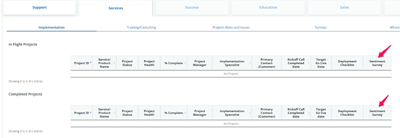
Updated Naviance SSO Community users who are technical contacts can now
manage technical contacts through the PowerSchool Community Customer
Connect. You can learn more about Customer Connect in this article. The
Customer Connect Services CSAT survey has ...
read more

ParitoshT
Genius
02-01-2024
04:48 AM
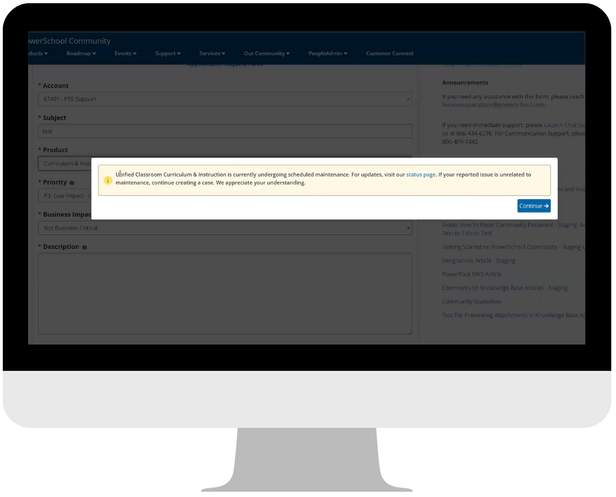
We're thrilled to announce a brand-new feature on our chat and case
forms! Now, you'll receive a pop-up message notifying you of any
scheduled maintenance, degraded performance, or outage for the selected
product. Don't worry, though – if your issue isn't...
read more
CindyOp
Community Support Expert
12-18-2023
07:42 AM
Updated We have updated Customer Connect for Technical Contact additions
and removals. You will find the following updates: Within the Manage
Technical Contacts section, we have added the following features: You
can now assign multiple products when addin...
read more
CindyOp
Community Support Expert
10-27-2023
07:08 AM
Updated We have updated Customer Connect for Services to improve the
readability. You will find the following updates: Customer Satisfaction
(CSAT) scores will only be displayed if they are identified by
PowerSchool to be visible. A pagination of 10 per p...
read more
jamiem7
Lead Community Moderator
09-29-2023
11:48 AM
New In August, we brought you Version 1 of Customer Connect for
Technical Contacts. This is part of our commitment to provide a
personalized, contextual, frictionless, and connected experience for our
customers. We are excited to share that Version 2 is n...
read more
jamiem7
Lead Community Moderator
09-19-2023
04:34 AM
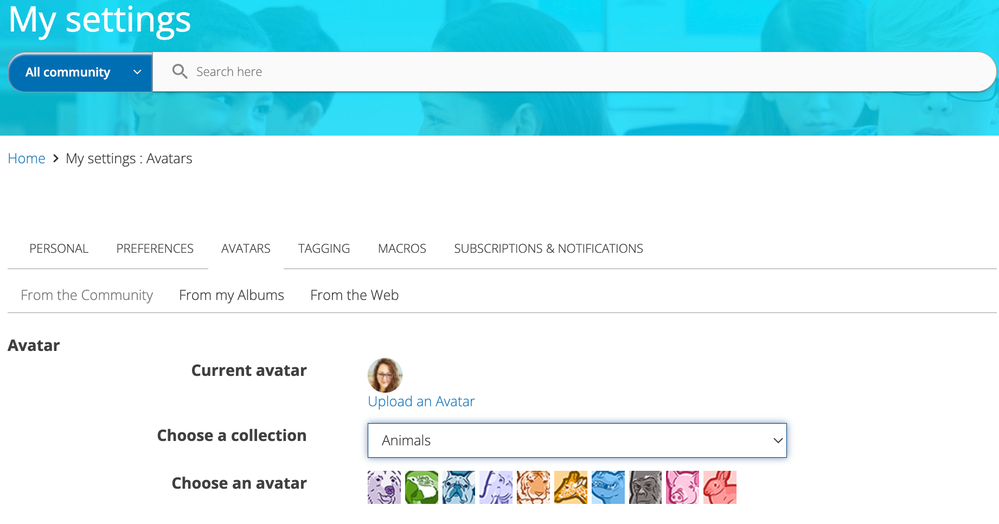
Khoros has removed the out-of-the-box Monster theme avatar set based on
the requests of PowerSchool Community members. Users who had an avatar
from the Monster theme will see a broken image for their avatar. We
recommend users who had the monster theme av...
read more
jamiem7
Lead Community Moderator
09-01-2023
12:12 PM
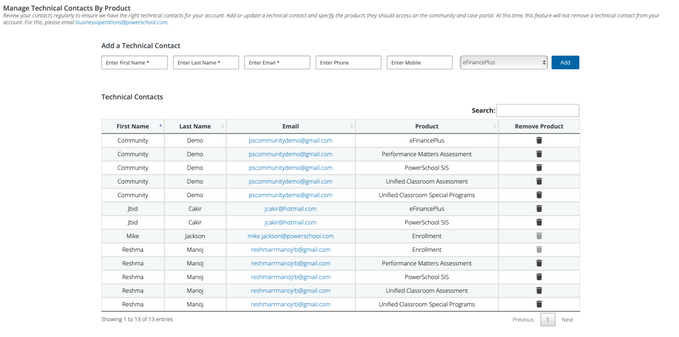
New Customer Connect: We have improved the format of the Manage
Technical Contacts table in our Customer Connect portal to separate the
sections for adding a new contact and managing existing contacts. You
can now sort by the first name, last name, email,...
read more
jamiem7
Lead Community Moderator
08-04-2023
10:10 AM
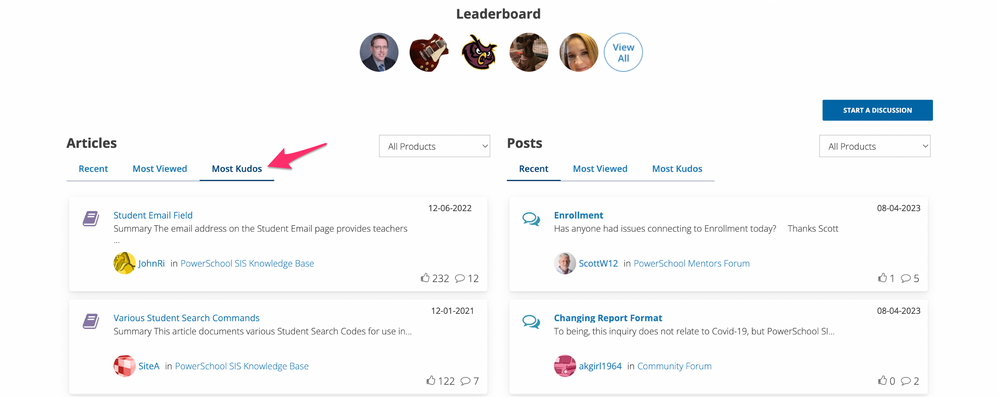
New Main Menu Update: We have updated the name and reordered the main
menu items. The chart below will show the former name and the updated
name. Previous Name Updated Name Product Support Products Product
Roadmap Roadmap Services Services Contact Support...
read more
ParitoshT
Genius
03-31-2023
10:37 AM

New Quick links on the Ideas Portal: We have added the quick links for
Getting Started, Start a discussion, Live Chat, Case Portal, Roadmap,
and Events to the Ideas Portal page. These are set to reflect based on
the district access level that the user has...
read more
jamiem7
Lead Community Moderator
02-24-2023
10:34 AM
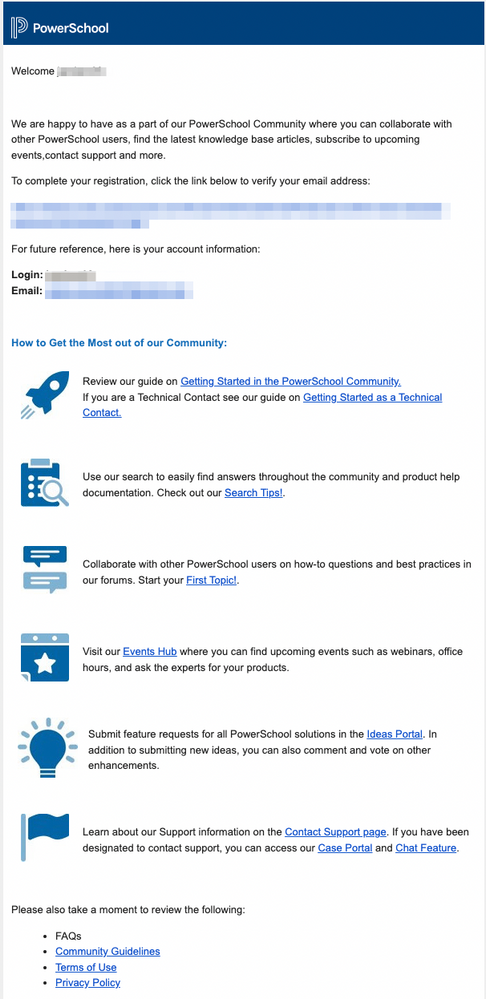
Enhancements Customer Education Page: We have added new flyers on the
Customer Education page to provide all the information to the customers
that they need to get started. Visit the Customer Education page Welcome
Email for New Users: We have updated our...
read more
jamiem7
Lead Community Moderator
09-01-2022
09:22 AM

Enhancements Quick Links on Community Home Page: The Ideas Portal quick
link has been added to the PowerSchool Community and PeopleAdmin
Community home pages to help highlight this feature. Group Hubs: We
recently launched Group Hubs in our Community. We ...
read more


BishalG
Ninja
02-04-2022
03:38 PM

Events Hub To navigate to our Events Hub, hover over Events Hub in the
top menu and select All Events. You can also use this direct link. All
Events On the All Events page, you will find Quick Links for more
information and a list of the Events boards for...
read more

 jamiem7
Lead Community Moderator
07-27-2021
01:02 PM

Technical Contacts can now use one search box to search across all
columns in the Case Portal. Simple enter a value in the search box on
the right of the page to narrow the cases within any column in the Case
Portal. You can still sort by selecting the ar...
read more

jbidk
Prodigy
06-28-2021
07:24 PM
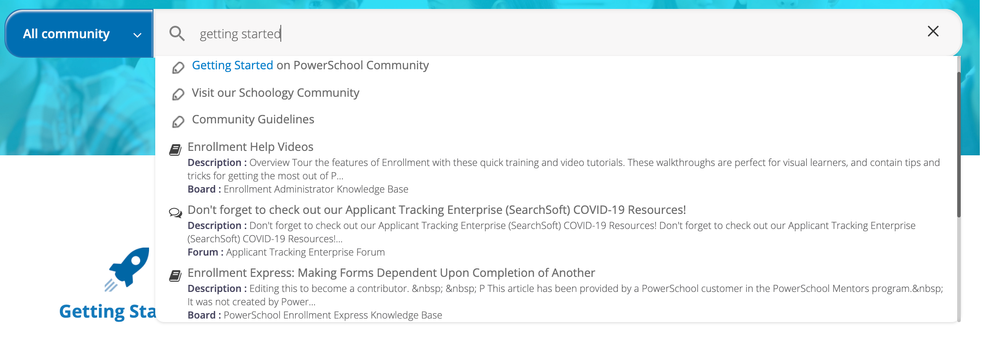
We are happy to announce a new federated search innovation on our
PowerSchool Community that provides faster and more relevant results.
This new search is powered by AI and Machine Learning to reveal the most
helpful content to address your questions. Thi...
read more


